cross section view
- 🔥 advanced
- 🗂️ cloth
Design a draft from cross section view. Explore multilayer structures through cross section drafting.
Parameters
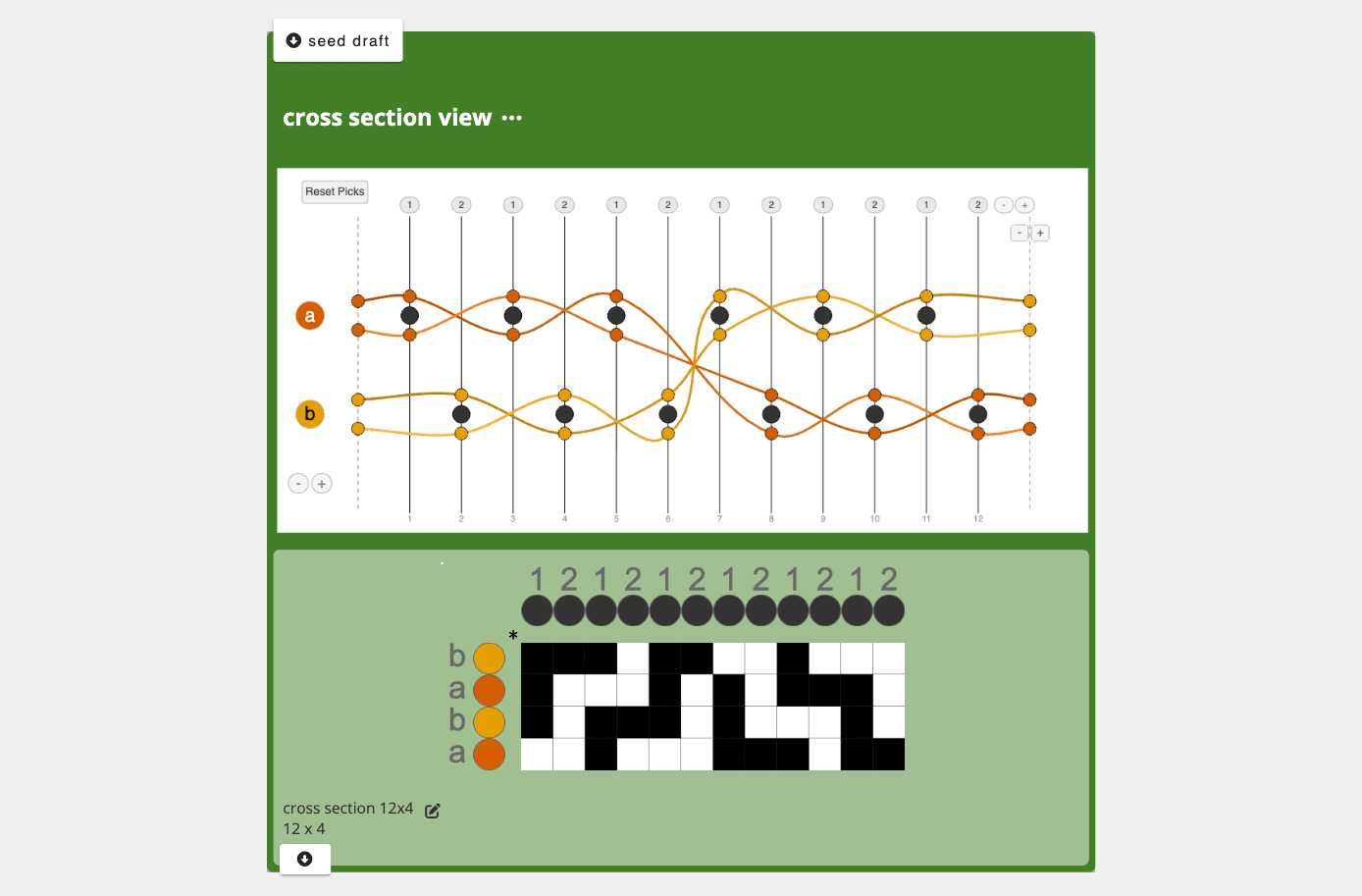
cross section canvas: an interactive drawing canvas for designing weft paths through a cross-section view. Click on warp dots to route weft threads, switch between weft systems, and mark layer interactions. Use the buttons on the canvas to set the number of warps (up to 24), warp systems, weft systems, and to assign individual warps to specific warp systems.
Inlets
seed draft: an optional input that provides warp and weft system counts and material colors. When connected, the seed draft's system configuration overrides the warp system and weft system buttons on the canvas.
Application
Provides a visual cross-section interface for designing multilayer weaving structures. Instead of specifying interlacement cell by cell in a drawdown, you draw weft paths as they would appear in a cross-section slice of the cloth, routing each weft over and under warps across multiple layers. The operation converts this cross-section drawing into a traditional drawdown. Useful for double weave and other multilayer structures where thinking in cross-section is more intuitive than working directly in the drawdown.
Developer
adacad id: cross_section_view
packages/adacad-drafting-lib/src/operations/cross_section_view/cross_section_view.ts
loading...