interlacing blend
- 🔥 advanced
- 🗂️ cloth
- ✍️ Charlotte Bertanzetti
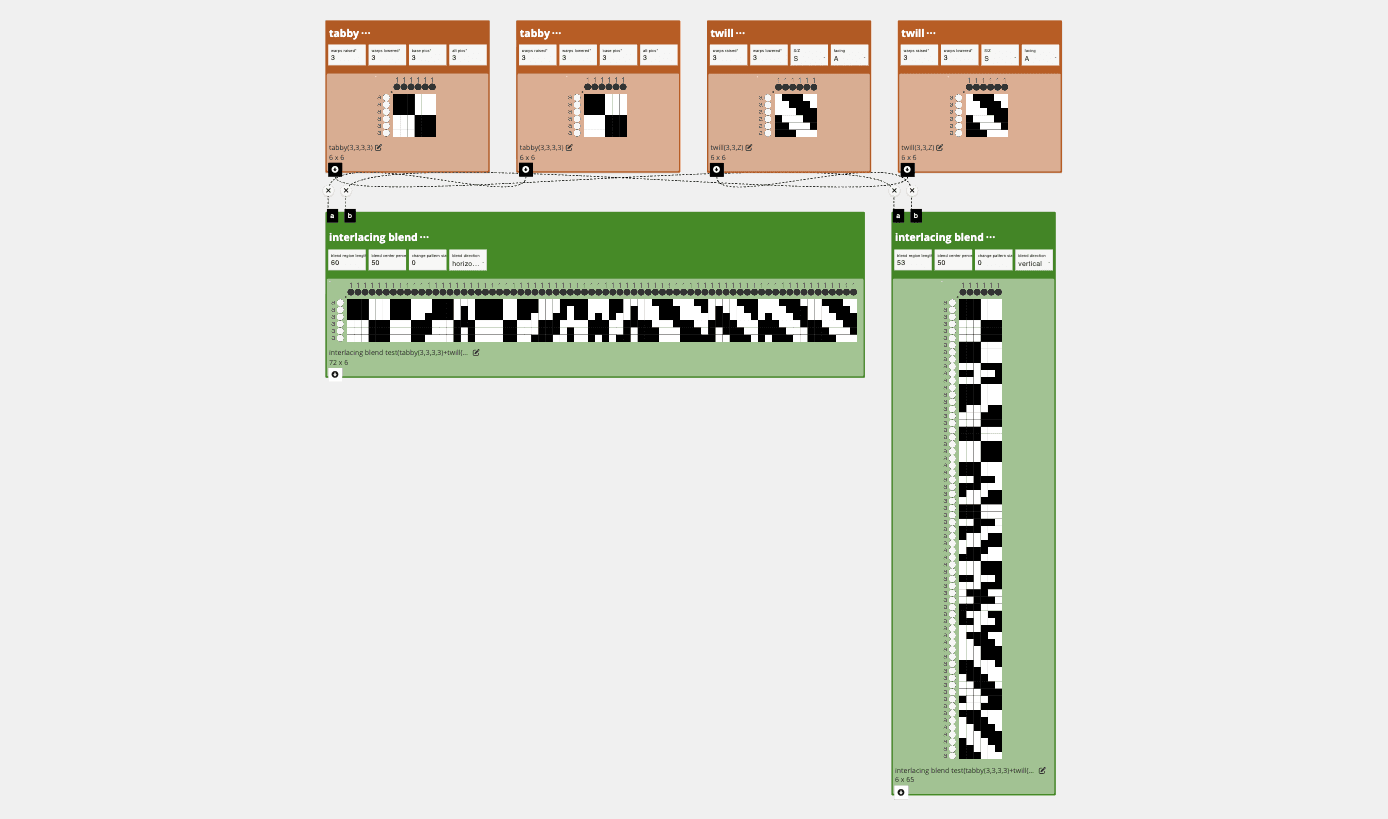
Creates a new draft by placing draft A and draft B on either side of a blend region. The inputs are repeated to a common size, and the blend region transitions between them based on the selected direction, center, and length.
Parameters
blend-region-length: the length of the blend regionblend center percent: the center of the blend transition as a percent from 0 to 100change pattern size: adds or subtracts from the common repeated pattern sizeblend direction: controls whether the blend runs horizontally or vertically
Inlets
draft-a: the first draft to blenddraft-b: the second draft to blend
Application
Can be used to create a transition vertically or horizontally between patterns through interlacement. Create the look of a blend/gradient.
Developer
adacad id: interlacing blend
packages/adacad-drafting-lib/src/operations/interlacing_blend/interlacing_blend.ts
loading...